Telematics Guru User Permissions Explained

Written by Fezile Mojapelo
Updated at May 30th, 2025
Table of Contents
Checklist Permissions
See Checklists in Telematics Guru.
Fees may apply if enabling these permissions. Contact your local DM representative for further information. In general these are enabled for users within organisations that make use of checklists.
| Audit Checklists |
Allows the user to view audit logs pertaining to checklists
|
| Checklists Template Manage |
Allows the user to create new checklist templates
|
| Complete Checklists |
Allows the user to complete checklists on the TG Mobile App
|
| Resolve Checklists |
Allows the user to resolve completed checklists
|
| View Checklists |
Allows the user to view checklists
|


Feature Manager Permissions
Note: Many of these permissions govern a user's ability to manage specific features (e.g., Manage Address Book).
To access and manage these features, users must also have the corresponding ‘view’ permission—this allows them to navigate to the relevant page in the first place. (Address Book View)
Typically these permissions are provided to ‘administrators’ of a given organisation - who may be responsible for tasks such as.
- Adding new users and drivers to the system
- Running reports
- Configuring alerts.
| Address Book Manage |
Allows user to create and manage address book entries  |
| AEMP 2.0 Device Service Manage |
Allows user to view and set up AEMP 2.0 device services and view harvest logs |
| Alerts Manage |
Allows user to create, assign and manage alerts Getting Started - Alerts - Digital Matter 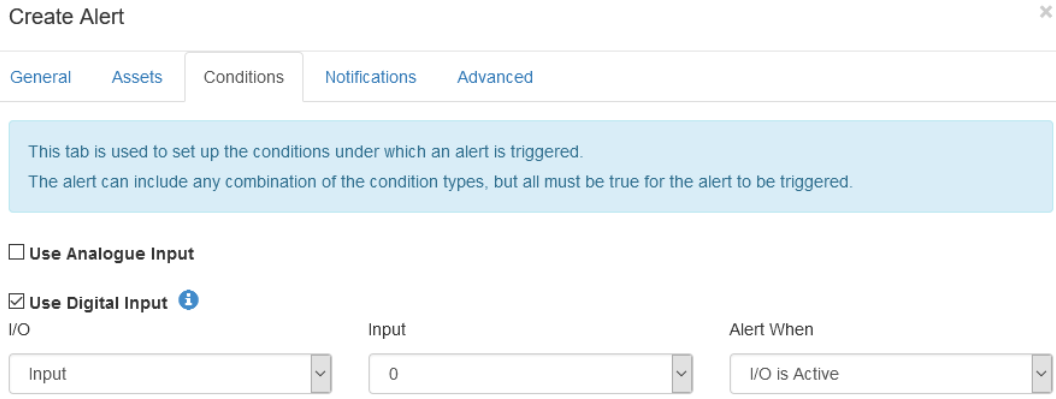 |
| Asset Enable Disable |
Allows user to enable and disable assets. This has billing implications. 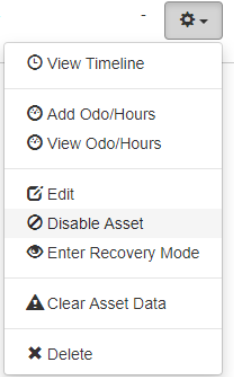 |
| Asset Installer Manage |
Allows user to make changes to the installer tab on the Edit Asset page - capturing who installed a device on the asset and other information.  |
| Asset Manage | Enables the Asset Edit page along with General, Info and Photo tabs |
| Asset State Configuration Manage |
Allows user to create, edit and delete Asset States Asset State Configuration - Digital Matter 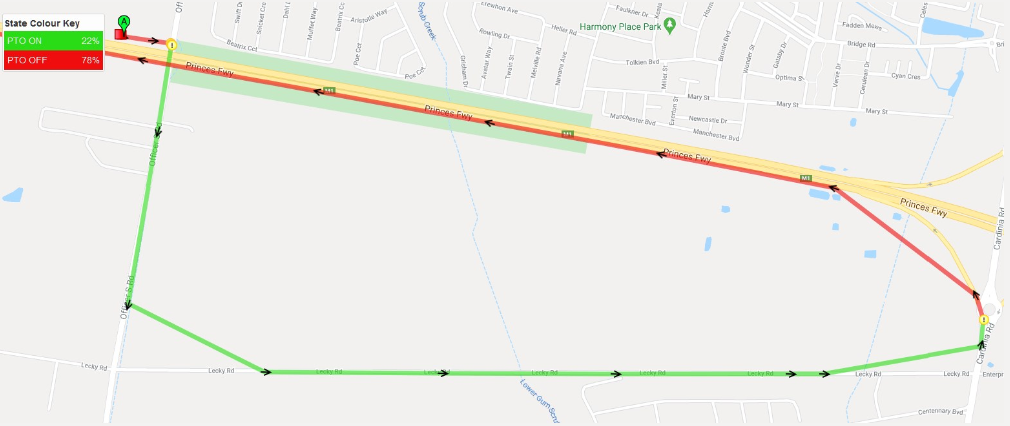 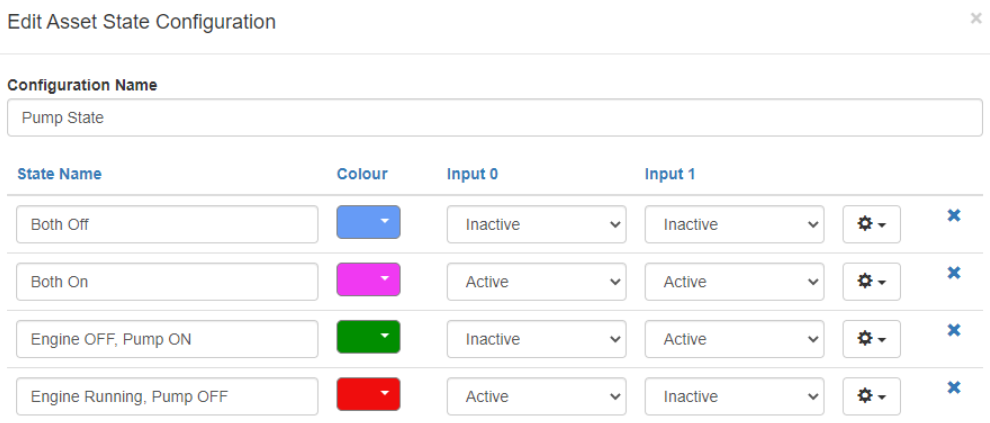 |
| Asset Type Manage |
Allows user to create and assign Asset Types Admin → Asset Types
|
| Battery Management |
Enables the user to view the Battery Management Page. Assets → Battery Management  |
| Camera Media Manage |
Allows user to manage camera media from connected Dashcams. Requesting Media from Dashcams - Digital Matter Creating Camera Alerts - Digital Matter
|
| Clear Asset Data |
Allows user to clear assets' data (delete all history)
|
| Department Manage | Allows user to create, edit and delete Departments via Admin → Departments |
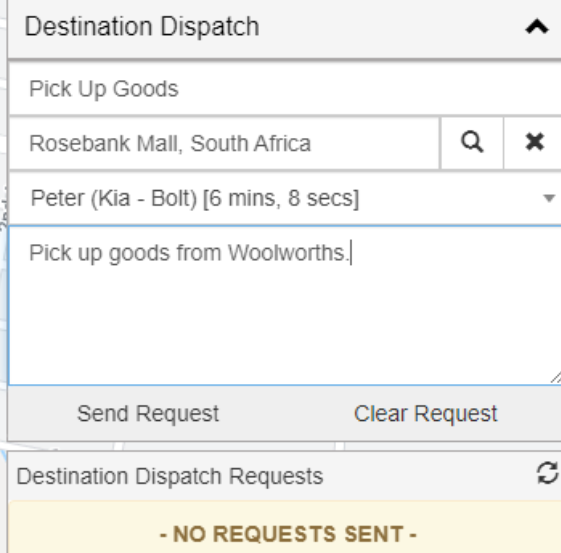
| Destination Dispatch Assignee |
Allows user to receive and execute dispatch requests Destination Dispatching - Digital Matter
|
| Destination Dispatch Manager | Allows user to create, cancel, re-assign and view dispatch requests |
| Device Setup |
Adds Advanced, I/O Mappings and Log Events tabs to the Edit Asset page
   |
| Driver Manage |
Allows user to create, edit and delete Drivers and assign them Assets Driver Management in TG - Digital Matter  |
| Event Type Manage |
Allows user to create, edit and delete Event Types
Admin → Event Type  |
| Expense Manage |
Allows user to create and manage Expense Types Asset Expense Tracking - Getting Started - Digital Matter 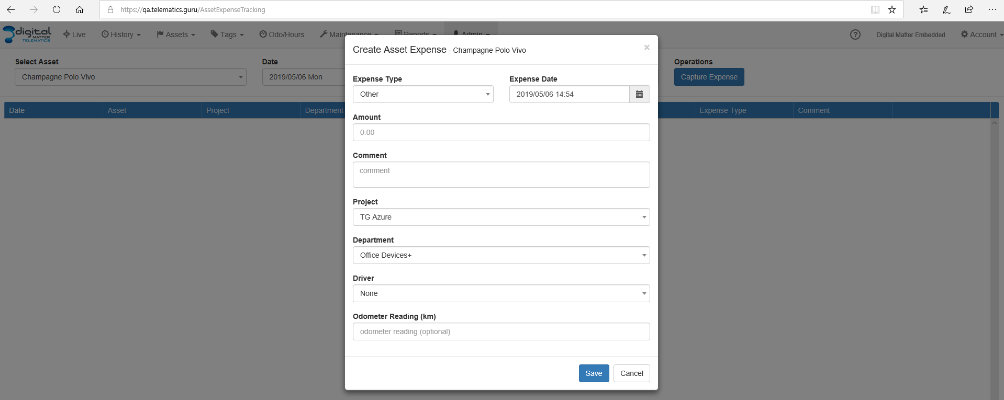 |
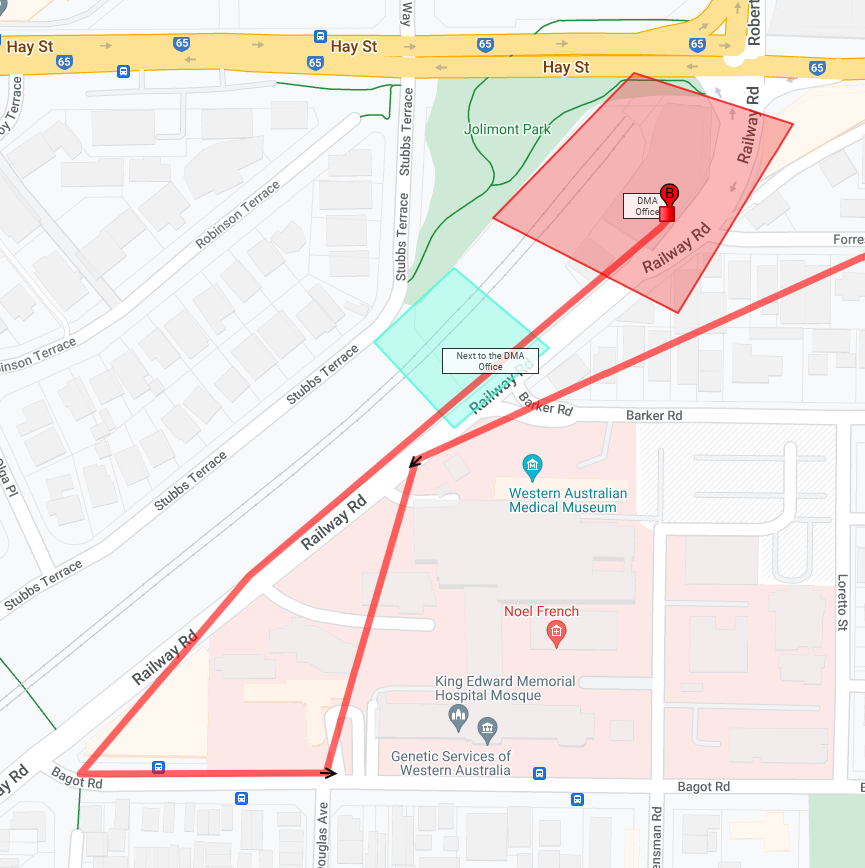
| Geo Fence Manage |
Allows user to create, edit and delete Geo Fences How To Guide: Geo-Fences - Digital Matter
 |
| History Edit |
Allows Projects and Drivers to be assigned to trips via the Manage Trips page Telematics Guru - History Views - Digital Matter
History → Manage Trips  |
| Maintenance Job Manage |
Allows user to create and edit maintenance jobs Scheduled Maintenance Reminders (SMR) - Digital Matter
 |
| Map Overlay Manage |
Allows user to create, edit and delete Map Overlays
Admin → Map Overlays
|
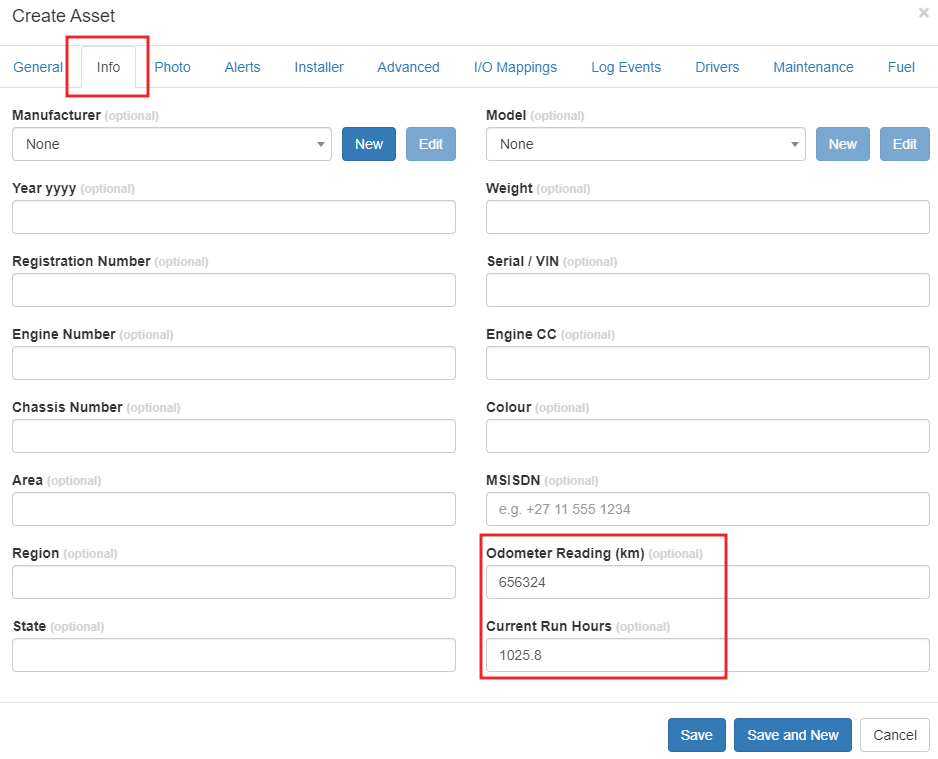
| Odo Hours Manage |
Allows user to set the run hour and odometer values for an asset Run Hours + Odometer in TG - Digital Matter
 |
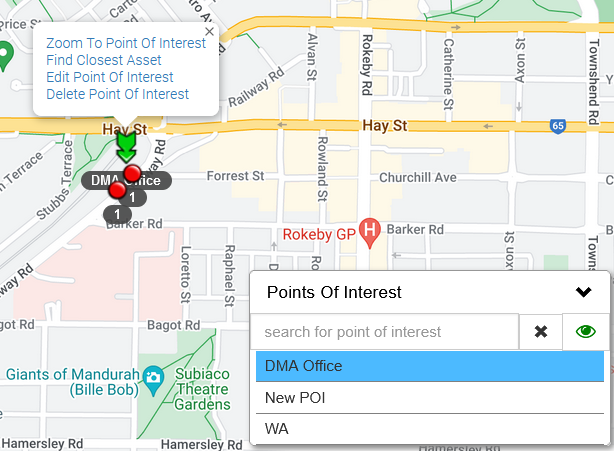
| Point of Interest Manage |
Allows user to create, edit and delete Points of Interest on the Live view Points of Interest and Distance Order Markers - Digital Matter
 |
| Project Manage | Allows user to create, edit and delete Projects |
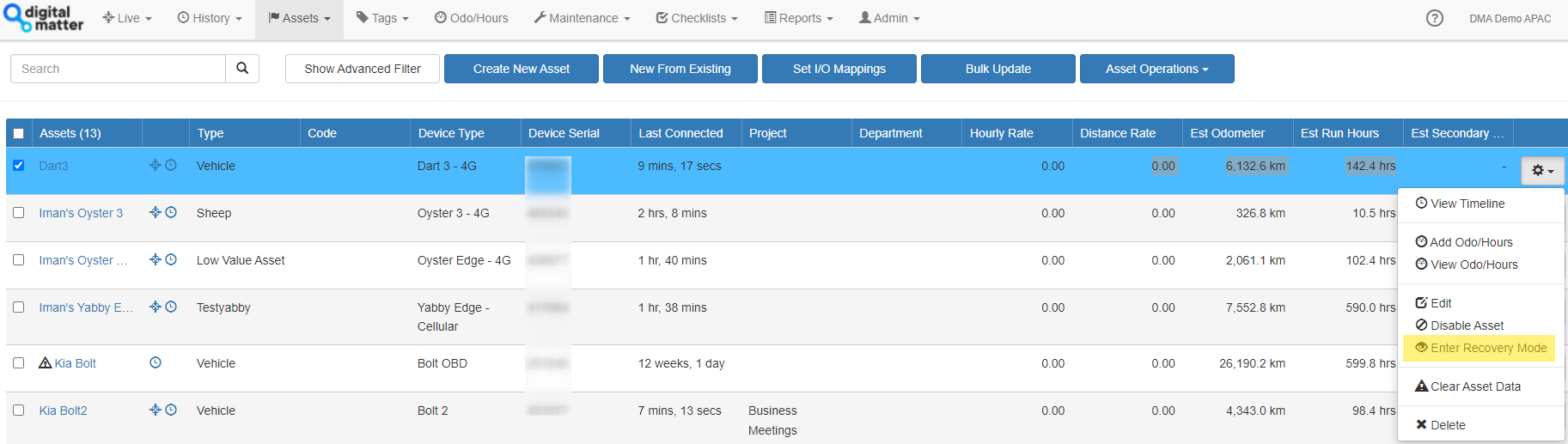
| Recovery Mode Manage |
Allows user to turn recovery mode on or off Recovery Mode - Digital Matter
 |
| Report Layout Manage |
Enables the Customise Report option so that the report fields and layout can be edited Customize Reports - Digital Matter
 |
| Scheduled Report Setup |
Allows user to schedule reports |
| Trip Administrator View | |
| Trip Driver Manage | Allows user to assign Drivers to Trips under the History → Manage Trips view (for logbooking) |
| Trip Type Manage | Allows user to create, edit and delete Trip Types |
| Web Hook Manager |
Allows user to create, edit and delete Webhooks  |


Feature View Permissions
| Address Book View | Enables access to the address book |
| Alerts View | Enables view of the alerts page |
| Asset Destination History View |
Enables the Destination History Map page  |
| Asset Telemetry View |
Enables the Telemetry and Telemetry I/O for Assets pages  |
| Asset Timeline View |
Enables the Asset Timeline page  |
| Asset Type View | Enables Asset Type page |
| Asset View | Enables Asset Management page |
| Camera Media View |
Allows user to view camera media  |
| Department View | Enables the Departments page |
| Driver Trip History VIew | Enables ‘My Trips’ dropdown from the History dropdown |
| Driver View |
Enables access to the Drivers page  |
| Event Type View |
Enables the Event Type page 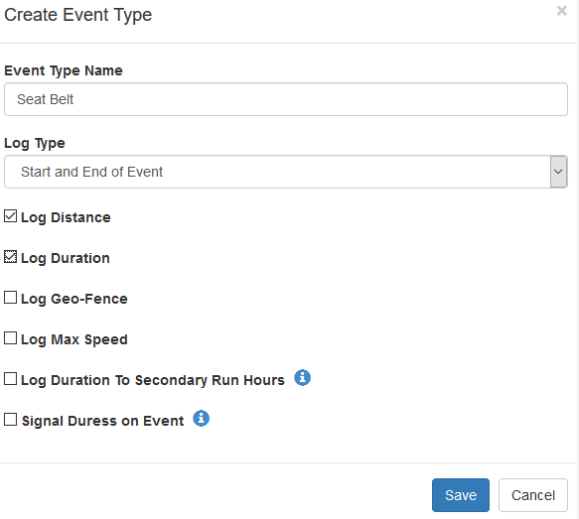 |
| Expense Capture | Allows user to record expenses |
| Geo Fence View | Enables access to the Geo Fence menu |
| Live View |
Enables the Live Tracking Map page  |
| Maintenance History View |
Allows the user to view maintenance jobs |
| Multi Asset Location Share |
Enables the shared multi-asset location sharing page and the ability for the user to create and manage share links.  |
| Odo Hours View | Allows user to view Odometer values |
| Project View | Enables access to the Projects page |
| Reporting |
Enables access to Reports page. Access to specific reports is enabled on the ‘Reports’ tab for a user. |
| Scheduled Report Logs | Allows user to see scheduled report logs for debugging (failures/successes, and download copies) |
| Tagged Asset Status View |
Allows user to view Tagged Asset Telemetry  |
| Trip History View |
Enables the Trip History page |
| Trip Type View | Enables the Trip Type page |
General Permissions
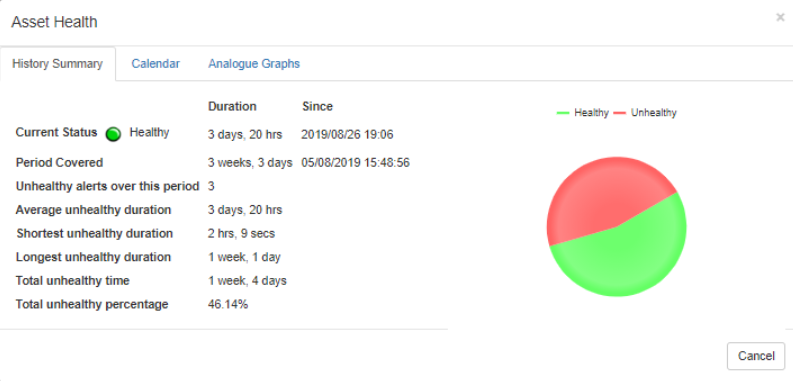
| Asset Health View |
Allows the user to view Asset Health
 |
| Beta User | Grants user permission to new functionality that is being trialed |
| Live Tracking No Timeout | If enabled, this prevents the live view from timing out due to inactivity. Useful for control rooms |
Organisation Manager Permissions
| Billing Plan Manage |
Allows user to change the billing plan for assets Organisation Asset Billing Plans - TG-PPM,Classic,PRO
 |
| Lorawan Manage |
Allows user to manage LoRaWAN downlink and devices |
| Lorawan View | Allows user to view LoRaWAN Downlink and devices |
| Maintenance Schedule Admin | Allows user to create, edit and delete maintenance schedules |
| Sigfox Manage |
Allows user to manage Sigfox downlinks and devices |
| Sigfox View | Allows user to view Sigfox downlink and devices |
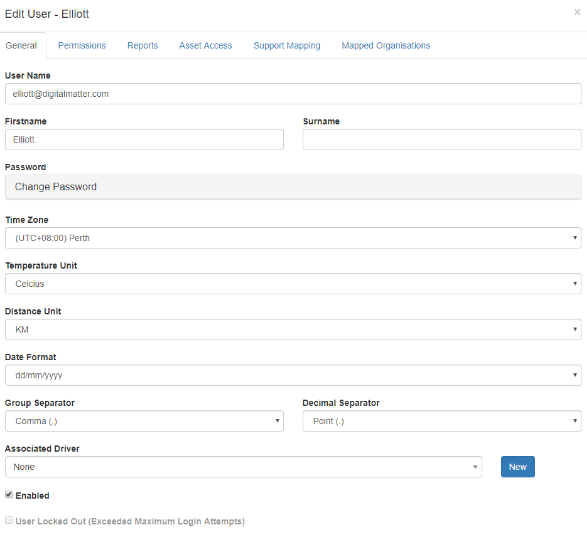
| User Manage |
Allows user to create, edit, invite and delete users
 |
| User View | Enables the Users page. |
Partner Manager Permissions
These permissions are typically reserved for Digital Matter partners who are creating and managing organisations for their customers.
| Device Manager Admin | Enables Device Manager shortcut on the Manage Assets page |
| Manage Support User |
Allows user to map Support users
 |
| Organisation Delete | Allows user to delete Organisations |
| Organisation Manage |
Allows user to create and edit Organisations
 |
| Organisation View | Enables access to the Organisations page |
| Partner Integration Manage | Allows user to manage authentication credentials |
| Promotion Manage |
Allows user to create, edit and delete Promotions Telematics Guru White Labelling
 |
| Url Manage | Allows user to manage Partners' URL |
| User Support |
Enables the Support page User Support Permissions + Access to Multiple Organisations
 |
Time and Attendance Permissions
| Time and Attendance Admin |
Time and Attendance in Telematics Guru  |
| Time and Attendance Supervisor | Allows user to approve Time and Attendance logs |
| Time and Attendance Views | Enables access to the Time and Attendance page |
