Contact Us

    If you still have questions or prefer to get help directly from an agent, please submit a request.
    We’ll get back to you as soon as possible.

    Please fill out the contact form below and we will reply as soon as possible.

    • Digital Matter Site
    • Contact Us

    Creating New Users in Device Manager

    How to Make Additional Users in Device Manager

    Written by Matthew Clark-Massera

    Updated at July 19th, 2024

      Contact Us

      If you still have questions or prefer to get help directly from an agent, please submit a request.
      We’ll get back to you as soon as possible.

      Contact Support
      • Home
      • Device Manager
      • Getting Started with Device Manager
      • Users and Access

      Table of Contents

      Creating New Users Steps to Create a New User

      Creating New Users

      Device Manager lets you create and manage user accounts, so you can provide access to your team member to configure and manage devices. 

      Additionally, it allows partners to conduct periodic access reviews to ensure access rights remain current in the event of staff changes. 

      In order to manage accounts, your user account requires the User Manager permission. 
       

      Steps to Create a New User

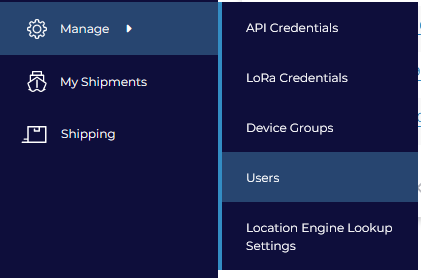
      1. To create a user account, go to Manage > Users in the side navigation menu.


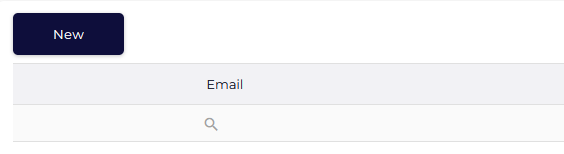
      2. From the Users Grid, Click "New"


      3. A dialogue appears


        Insert the user's details including their Device Group access. Here, you can optionally disable two factor authentication (which we do not recommend as it enhances security). If your user will be set up with Single Sign On then you may ignore this option as the SSO Identity Provider will manage 2FA.
         
      4. Select the relevant permissions that the user requires. 
         
      5. Click OK to complete. The user will receive a Device Manager login invite by email shortly.


      Once you have created your first few users, we recommend categorizing your devices with Device Groups                     


      user administration account management user manager manage users users accounts add user edit user

      Was this article helpful?

      Yes
      No
      Give feedback about this article

      Related Articles

      • How to Create and Manage Users
      • Create a New Organisation
      • Device Manager Billing

      Subscribe to Partner News

      Subscribe to our mailing list to receive Digital Matter news, product and tehnical updates, and more.

      Subscribe

      Copyright © Digital Matter . All Rights Reserved.

      Privacy Contact Support

      Knowledge Base Software powered by Helpjuice

      DM Logo
      Expand