Asset & Multi-Asset Location Sharing
How to share single and multiple asset locations with external parties via a link in Telematics Guru.

Written by Digital Matter Authors
Updated at November 13th, 2026
Table of Contents
Asset & Multi-Asset Location Sharing
Location sharing in Telematics Guru lets you give external parties temporary visibility of an asset's location via a link, without giving them a Telematics Guru login. This is useful for courier companies, hire companies and similar organisations that want to show a customer where a delivery, parcel or loan vehicle is. This guide covers sharing a single asset and sharing multiple assets at once. Both are accessed from the Live View.
Asset Location Sharing
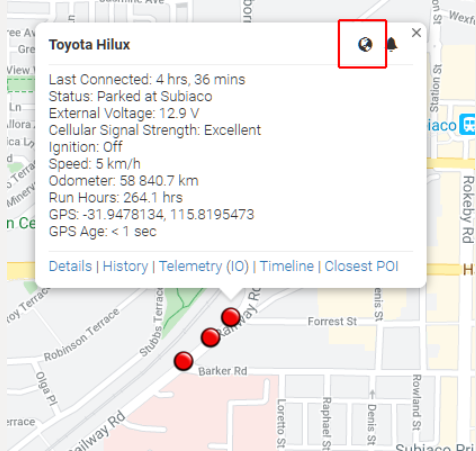
From the Live View, select an asset and click the world icon to share its location with anyone via a link. (The bell icon next to it is used to Activate a Movement Alert.)
Location sharing has a number of options and customisations available that may be useful for courier companies or hire companies to track assets, parcels or loan vehicles. Asset sharing allows customers of such organisations to be temporarily given access to the location of the truck delivering their goods, for example.
Note
Asset Location Sharing functionality must be enabled for the organisation to use this feature.
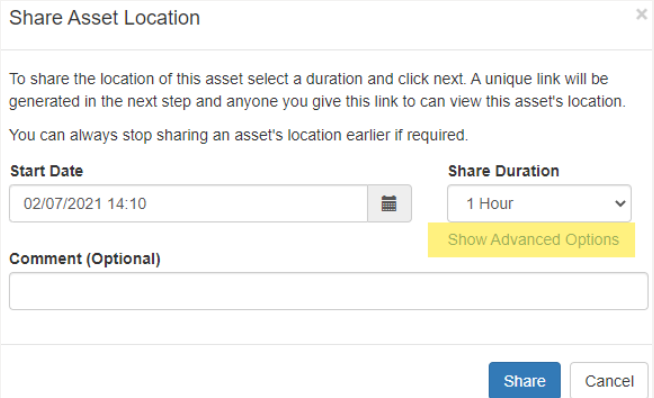
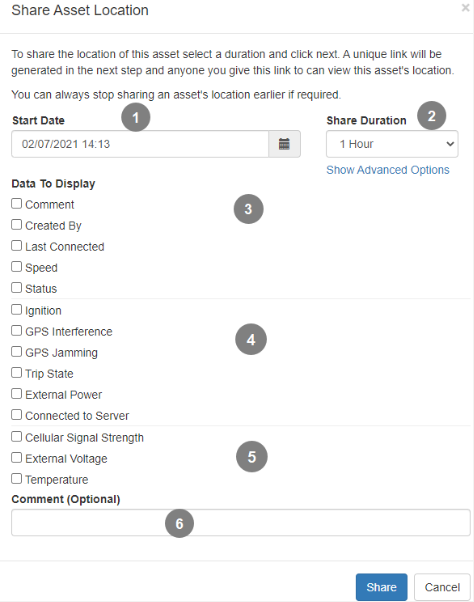
You will be presented with a list of information you wish to share (for example, you might want to show the speed the driver is doing, and potentially incriminate them!).
 |
|
Once you have clicked Share, you will be taken to the Share asset location manager.
This screen gives you an overview of all the current shared sessions (you can make more than one link).
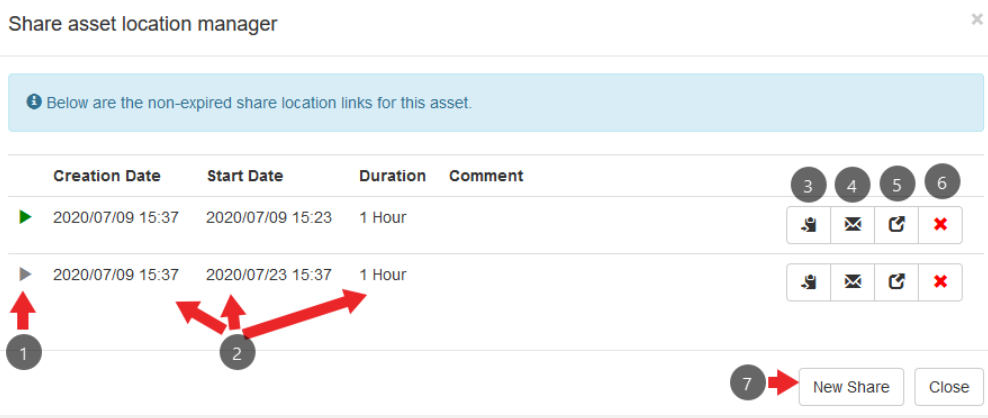
- Current status of share link. A green icon means the link is live. Grey means it is yet to become active.
- Creation date, start date and duration of share
- Copy share link to the clipboard
- Email share link via TG
- Open share link in a new tab
- Delete the share link. It will stop working for anyone using it.
- New share - if you already have a link created, this is how to create a secondary one.
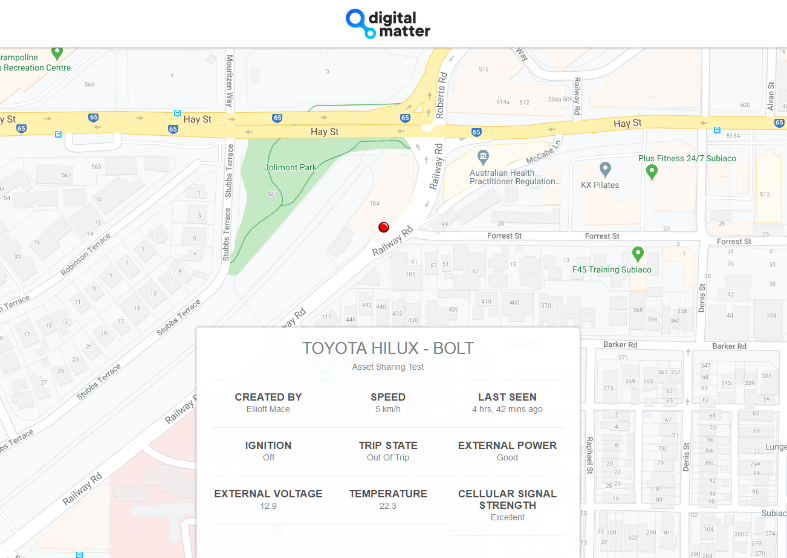
Below is an example of what is shown on the share link: the location plus the selected information.
Multi-Asset Location Sharing
You are also able to share multiple assets' locations, allowing customers to track fleets rather than individual assets. For example, a hire company may rent a few vehicles to a customer for a few days, so it can give them visibility of where they are via this feature.
Required Permissions
The following permissions are required to use this feature. If you can't see the feature, you may be missing one. If you can't enable it for your organisation on a user account, contact DM support and we can enable it:
The Organisation must have Multi Asset Location Sharing under functionality
The User must have the Multi Asset Location Share permission
The user doing the sharing requires access to all assets within the organisation (asset access is set on the user account)
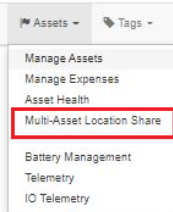
- Navigate to Assets -> Multi-Asset Location Sharing
- Create New Share
You are able to select multiple assets which will be shared in the single link.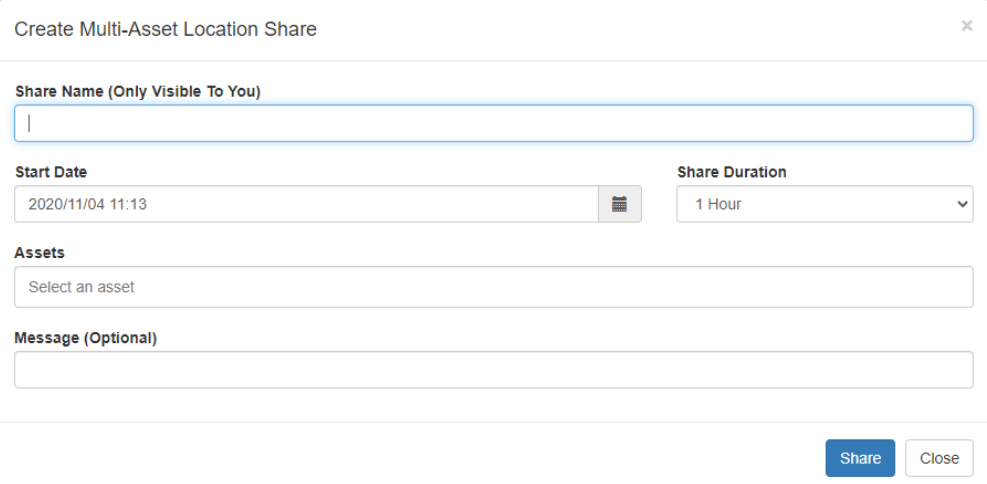
- Click Share
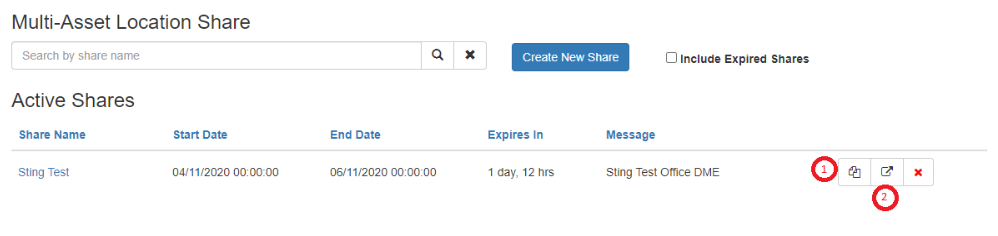
- Allows you to copy the link
- Allows you to preview the Multi-Asset Location Share link
- Allows you to copy the link
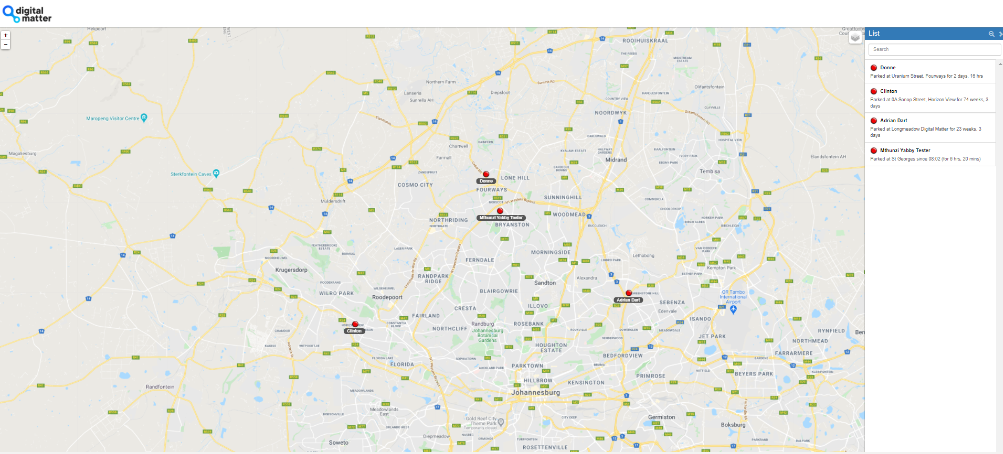
Below is an example of what is shown on the share link: the location of the assets and the asset list.
Next Steps
Return to the Live View - Telematics Guru guide to learn more about viewing and selecting your assets on the map. You can also Activate a Movement Alert to be notified when an asset moves.
