Duration Condition for Alerts

Written by Matthew Clark-Massera
Updated at January 26th, 2023
DM has released a "Duration" condition for alerts.
Below is an example of an alert set up to monitor if a door is open for over 10 minutes. A reed switch is connected to the digital input on the device for monitoring.
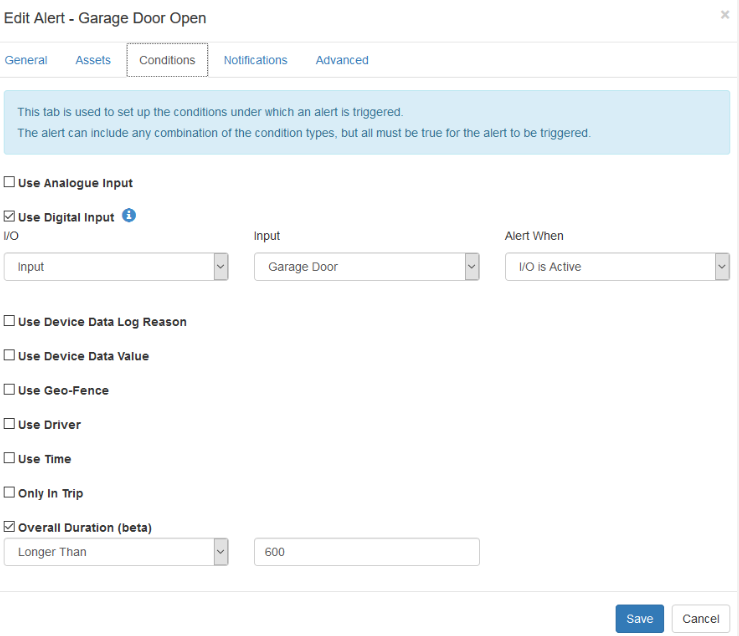
There are some caveats to this alert, as Alerts are driven by the device Telemetry, and when a new record comes in, it is processed to see if an alert is generated.
Overall Duration compares 1 record to the next, and if the other alert conditions are true for both records, and the time between the records is greater than the specified time, an alert will be generated.
So consider a few scenarios:
Device that is in trip, uploading every 5 minutes
0900am - The input is activated, and a record is sent.
0905am - Input still active, record sent due to being in trip
0910am - Input still active, has been active for 10 mins (0910 - 0900) - ALERT SENT
Device that uploads on change of input, but only heartbeats each hour
0900am - Input activated, record is sent due to device settings
1000am - Next heartbeat upload - ALERT IS SENT NOW
Telematics Guru is not consistently polling as to whether the set duration has elapsed. As is evident, the Duration condition's ability to provide timely alerts is heavily dependant on device settings, as it will only be triggered by a new record.
In most cases, the device should upload at least as often as your duration condition to receive a timely alert.
