Integrating RUC Monkey Head units into TG

Written by Matthew Clark-Massera
Updated at June 25th, 2026
Table of Contents
Telematics Guru supports integrating RUC Monkey head units.
In order to receive the data, RUC Monkey must configure the head unit to push device data via Webhook to Telematics Guru servers, in a custom ‘TG specific’ format.
Road User Charge (RUC)
For details about RUC in New Zealand, see https://www.nzta.govt.nz/vehicles/road-user-charges/
Charges which contribute to road upkeep, for light diesel vehicles and heavy trucks must be pre-paid ahead of time.
RUC Monkey offers a service to allow for the credits to be purchased based on the odometer value recorded by the head unit. Integration with Telematics Guru allows the full asset tracking functionality and feature set to be realised including configuring alerts, reports and more.
Endpoint
Data must be sent to https://<server>.telematics.guru:7087
Where <server> is your Telematics Guru instance, for example https://apac02.telematics.guru:7087 for Australian server APAC02.
Authentication
Contact DM Support for API Credentials
TG Setup
An asset must be added to Telematics Guru, device type RUC Monkey, and the head unit serial.

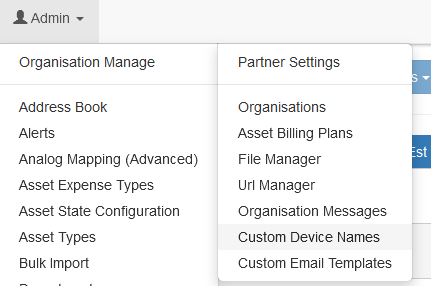
If the device type does not appear, it must be added to your Device Type list under “Custom Device Names”. This option is found from within your Home Organisation. The Device Type can be renamed if desired. See Device Name White Labelling for details.