Battery Level Status Report (TG)

Written by Matthew Clark-Massera
Updated at August 31st, 2023
Table of Contents
Telematics Guru offers Battery Level Status Reports, which can be scheduled to give an overview of devices with low batteries - to help manage battery changes in a timely and convenient fashion.
There are two reports available. Both operate in a similar fashion - they simply apply to different groups of assets.
Partner Battery Level Status Report
This report can be used by partners to give an overview of the current battery status of all end customer devices across a partner. It can be limited to an organisation or device type additionally.
This report can be added to the Partner Home Organisation - and run by partner admin users.
Schedule this report to keep an eye on your customer devices - and follow up that that batteries are being changed.
Organisation Battery Level Status Report
This report runs across an Organisation and as such end users can be granted access, and schedule the report to manage their own fleets.
Running the Reports
Partner Battery Status Report
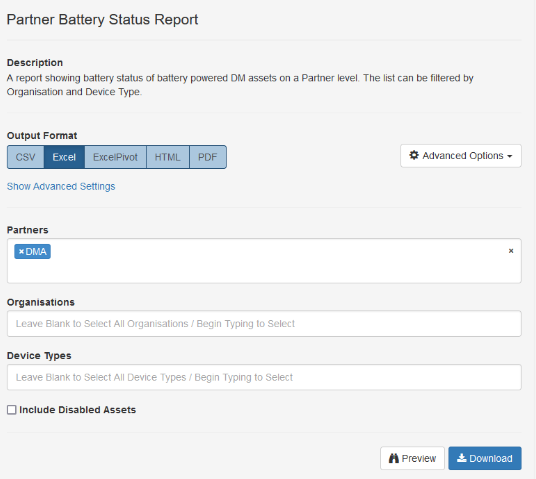
By default, the report is grouped by organisation, and sorted by asset name.

Organisation Battery Status Report

As the report runs within an organisation - there is no organisation filter.
The status can be chosen to return only Low/Critical batteries vs all.
Customise the Report
All reports can be customised to sort by status - so we can quickly identify assets which need attention/a battery change. See Customize Reports for full details

Add the Last Stop Location
The Location where the asset last stopped can be added to the report.

The report can be grouped or sorted by this location.
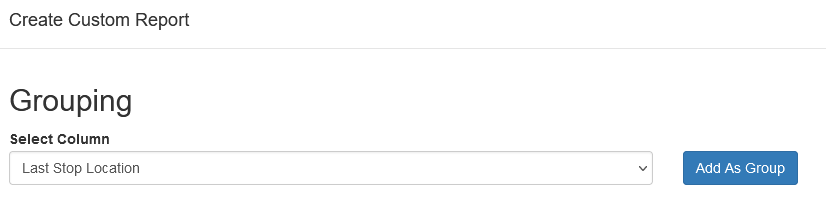
This allows the report to be used to identify any assets with a low battery which may be in a convenient location to action a change (i.e. have returned to the depot or service centre)
Schedule the Report
It can also be scheduled to run weekly/monthly etc to allow for monitoring. See Schedule the Devices Not Connecting Report for an example of scheduling a report.
