Contact Us

    If you still have questions or prefer to get help directly from an agent, please submit a request.
    We’ll get back to you as soon as possible.

    Please fill out the contact form below and we will reply as soon as possible.

    • Digital Matter Site
    • Contact Us

    Geo-Fence Bulk Update

    Written by Shiven Govender

    Updated at July 17th, 2024

      Contact Us

      If you still have questions or prefer to get help directly from an agent, please submit a request.
      We’ll get back to you as soon as possible.

      Contact Support
      • Home
      • Telematics Guru
      • Geofences

      The bulk update feature is designed to enhance efficiency in managing geofences. By allowing users to make updates to multiple geofences simultaneously, it:

      • Saves Time: Reduces the need to update each geofence one by one manually.
      • Ensures Consistency: Helps maintain uniform attributes across multiple geofences, such as consistent color coding or project assignments.
      • Simplifies Management: It makes organizing and managing large numbers of geofences easier, especially in complex projects or large geographic areas.

      With this feature, maintaining your geofences becomes a more straightforward and less time-consuming task, allowing you to focus on more critical aspects of your operations. This is done similarly to the Asset Bulk Update process:

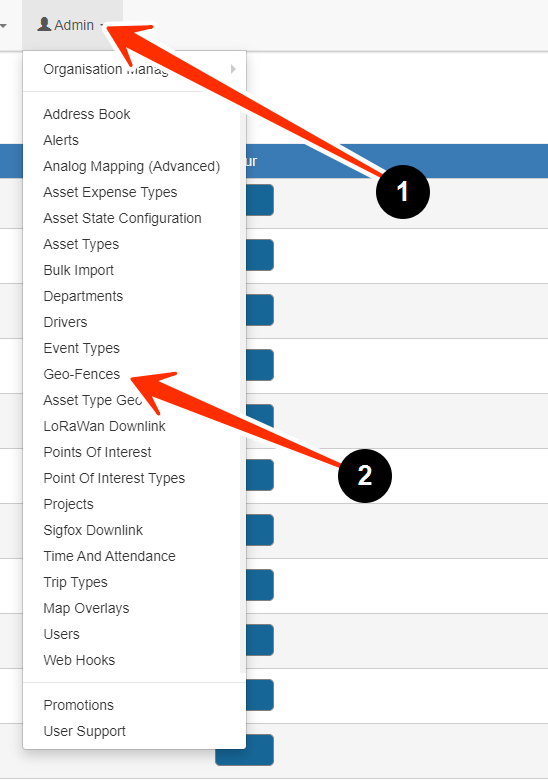
      • Navigate to the Geo-Fences menu. By clicking 
        1. Admin 
        2. Geo-Fences
      • Select the appropriate Geo-Fences that you wish to update.
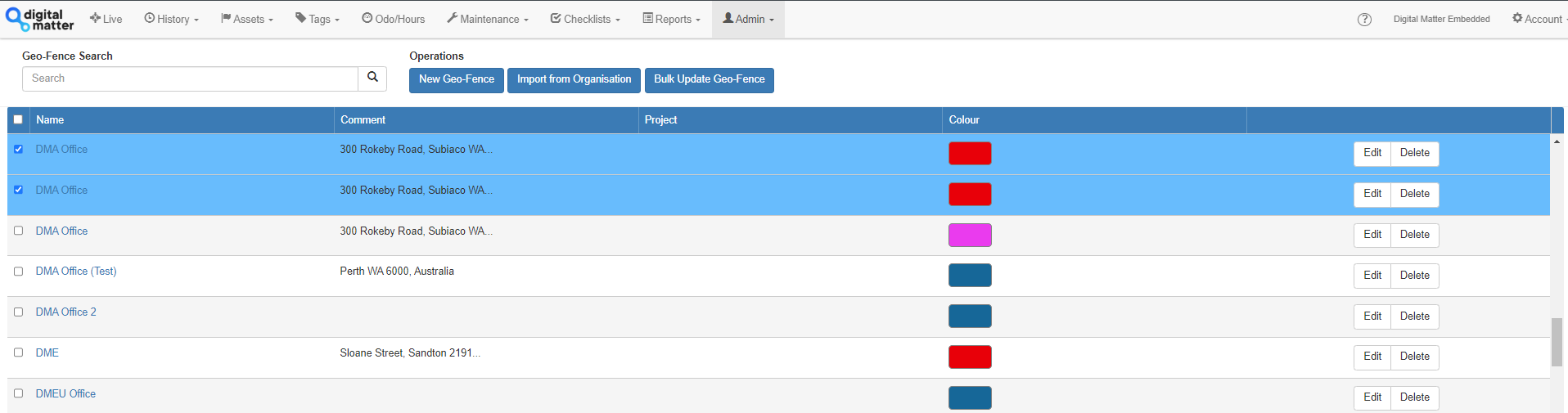
       

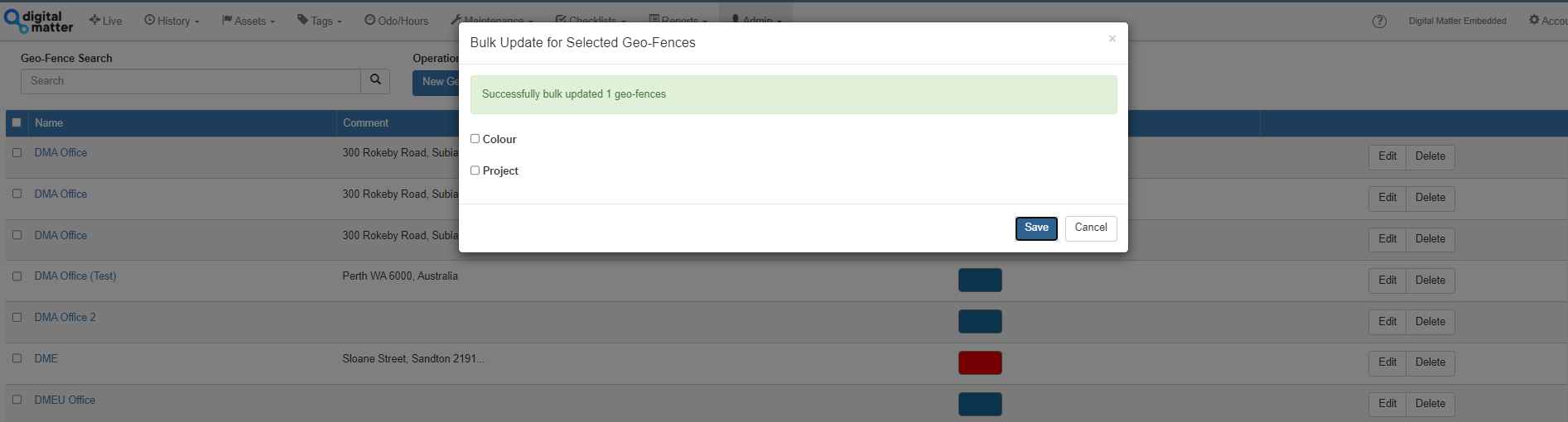
      • Click the “Bulk Update Geofence” button which will only be enabled when 2 or more Geofences have been selected.
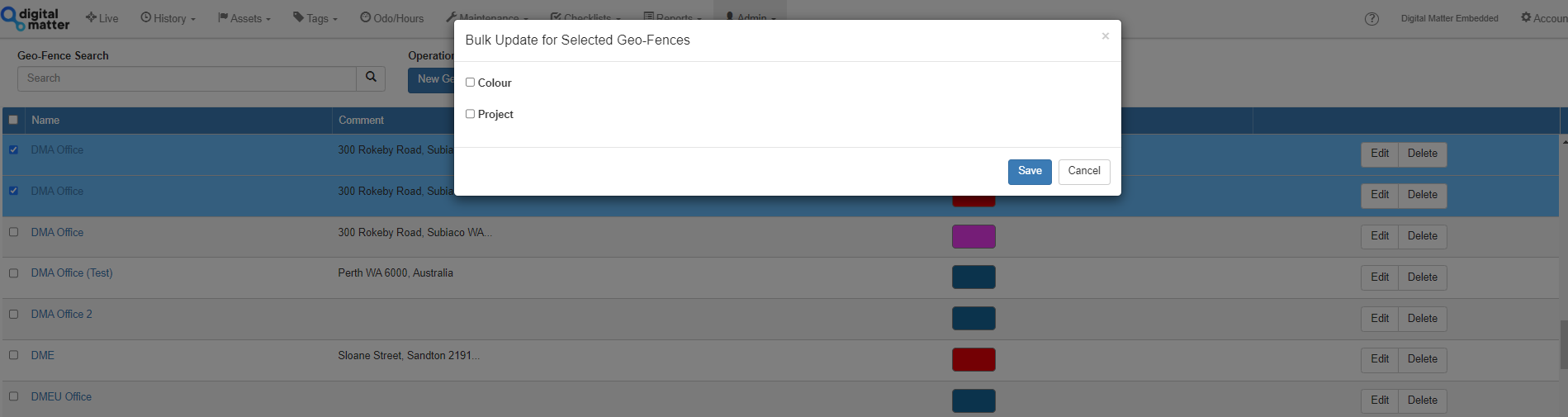
      • You will then have the option of selecting whether to update the Colour or the Project.
      • When these checkboxes are selected, an option to select either the appropriate Colour or Project.
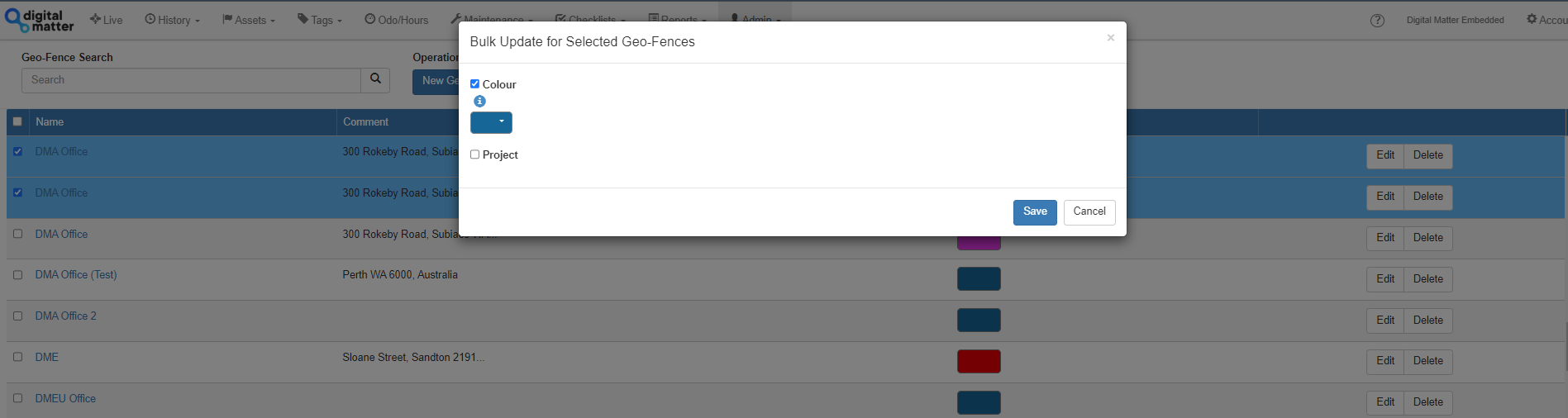
       

      • Press save. You will then see a successful message to show it has been updated.
       

      group modification location boundary

      Was this article helpful?

      Yes
      No
      Give feedback about this article

      Related Articles

      • How To Guide: Geo-Fences
      • Geofence Downloads to Device
      • Multi-Layer Geo-Fences
      • Geo-Fence Bulk Import
      • Telematics Guru - Update Asset Project From Destination Geofences

      Subscribe to Partner News

      Subscribe to our mailing list to receive Digital Matter news, product and tehnical updates, and more.

      Subscribe

      Copyright © Digital Matter . All Rights Reserved.

      Privacy Contact Support

      Knowledge Base Software powered by Helpjuice

      DM Logo
      Expand