G150 Wiring Guide - DM RFID Reader

Written by Havish Sahibdeen
Updated at August 27th, 2024
Table of Contents
This guide provides instructions for integrating the G150 with a Digital Matter RFID Reader using the Molex connector. The focus is on ensuring correct wiring connections using the provided Molex connector and detailed configuration. On how to wire the the G150 to the Iridium harness please refer to the following article G150 Iridium Custom Harness
RFID reader connection
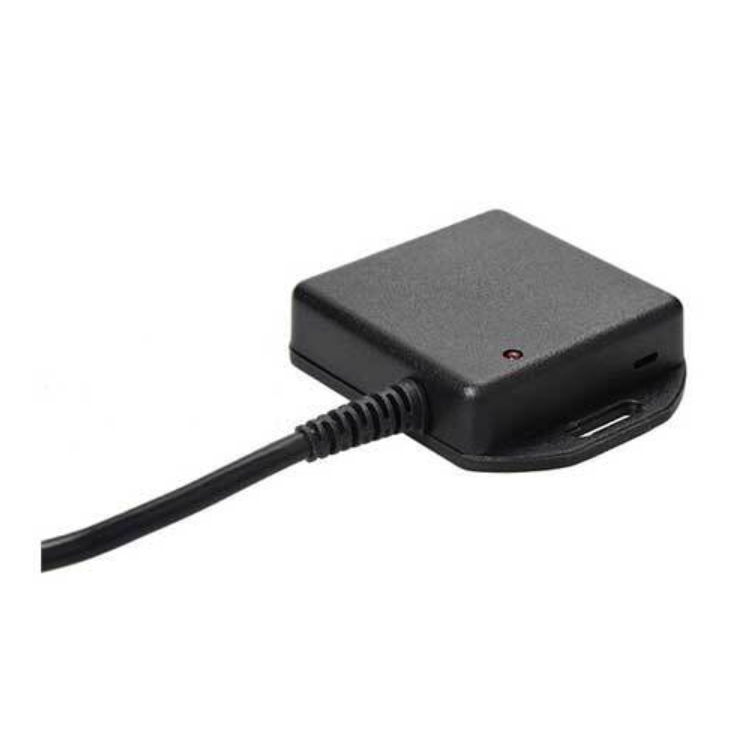
RFID Reader pin out.
| Wire | Function |
| Red | Vin |
| Black | Ground |
| Green | TTL Rx pin |
| Purple | TTL Tx pin |
Connector Options:
- Cut Off Molex Connector: You can cut off the Molex connector from the RFID Reader and wire it directly to the corresponding pins on the G150 harness.
- Add Male Molex Connector: Alternatively, add a male Molex connector to the G150 harness to interface with the RFID Reader's connector.
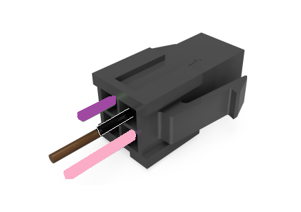
The G150 does not come with a 4-way Molex connector pre-fitted. To ensure compatibility, you need to source your own 4-way Molex connector. Here’s how you can wire the RFID Reader to the G150 harness:
Detailed Wiring Instructions:
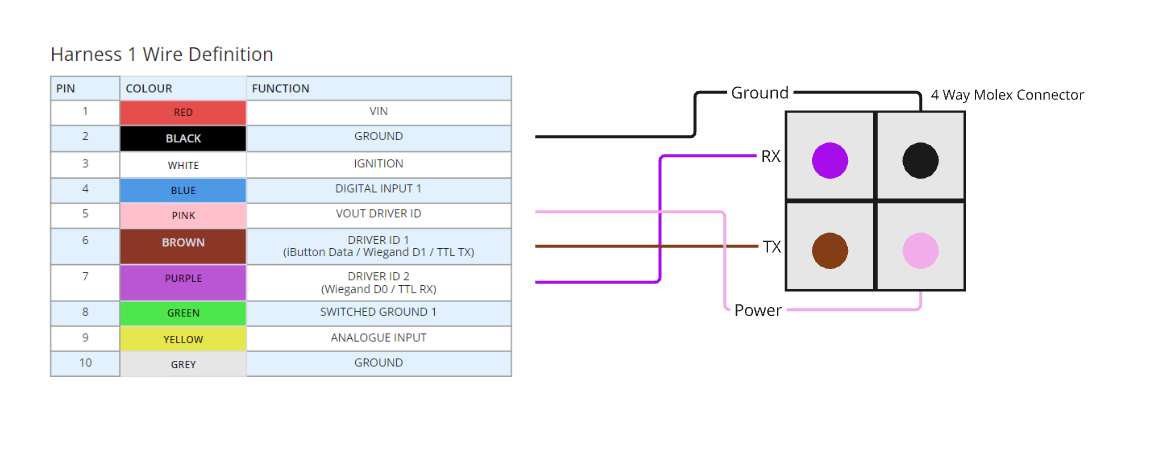
- Pink Wire (Pin 5): Provides approximately 5V when the device is awake. Use this to power the RFID Reader.
- Black Wire: Connects to the ground.
- Purple Wire: Connects to the TTL RX.
- Brown Wire: Connects to the TTL TX.
The part number is as below
| 4 way Molex connector | Micro fit 3.0 plug housing, dual row with panel mount ears, halogen-free, 4 Circuits | Part Number: 43020-0400 Mouser Link |
Please refer to the diagram below for visual guidance. For instructions on how to set up and wire the RFID to the G150, Refer to the article G150 Iridium custom harness