Contact Us

    If you still have questions or prefer to get help directly from an agent, please submit a request.
    We’ll get back to you as soon as possible.

    Please fill out the contact form below and we will reply as soon as possible.

    • Digital Matter Site
    • Contact Us

    Telematics Guru - Report Application Examples

    Written by Shiven Govender

    Updated at June 6th, 2024

      Contact Us

      If you still have questions or prefer to get help directly from an agent, please submit a request.
      We’ll get back to you as soon as possible.

      Contact Support
      • Home
      • Telematics Guru
      • Reports

      This article shows how to customize reports for more specific use cases.

      How to customize report columns can be found here - Customize Reports.

      Report that Shows the Start and End Odometer for a Period

      This may be used to facilitate billing and/or maintenance. 

      This can be achieved using the Asset Trip List Summary Report. When customizing the report it is important to select the Opening and Closing Odometer (km) Columns.
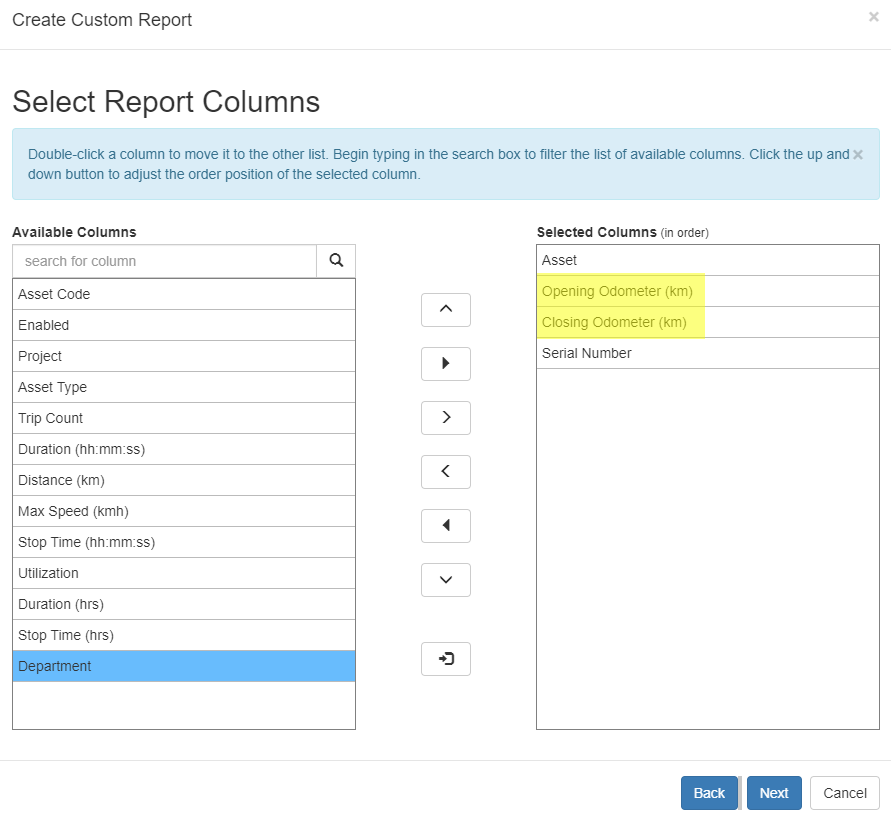
      In this way each time there is a trip the start and end Odometer readings are displayed. 

      The drawback of doing this is that it will not work for devices that are not making trips. 

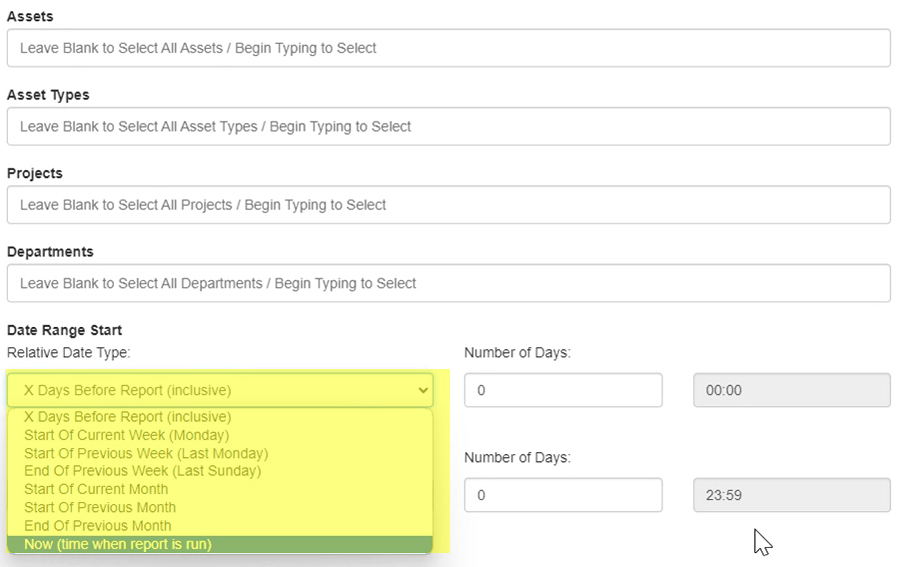
      When generating or scheduling the report you can specify which Assets/Asset Types/ Projects/ Departments you want to be included in the report.

      The desired period can be selected from the options we have available 


      feature unnamed telematics guru report application examples odometer report

      Was this article helpful?

      Yes
      No
      Give feedback about this article

      Related Articles

      • MLX90614 Infrared Thermometer
      • (FAQ) Upload Delay (Latency) after a network error
      • Speed Monitoring in Telematics Guru
      • Fleet Reports

      Subscribe to Partner News

      Subscribe to our mailing list to receive Digital Matter news, product and tehnical updates, and more.

      Subscribe

      Copyright © Digital Matter . All Rights Reserved.

      Privacy Contact Support

      Knowledge Base Software powered by Helpjuice

      DM Logo
      Expand