Change a Digital Output on Tag Found and Lost

Written by Cameron Everett
Updated at January 18th, 2024
Some users might want to trigger a digital output change when a Bluetooth tag is either found or lost by the Hawk.
Continuous Scanning
Bluetooth Card Tab
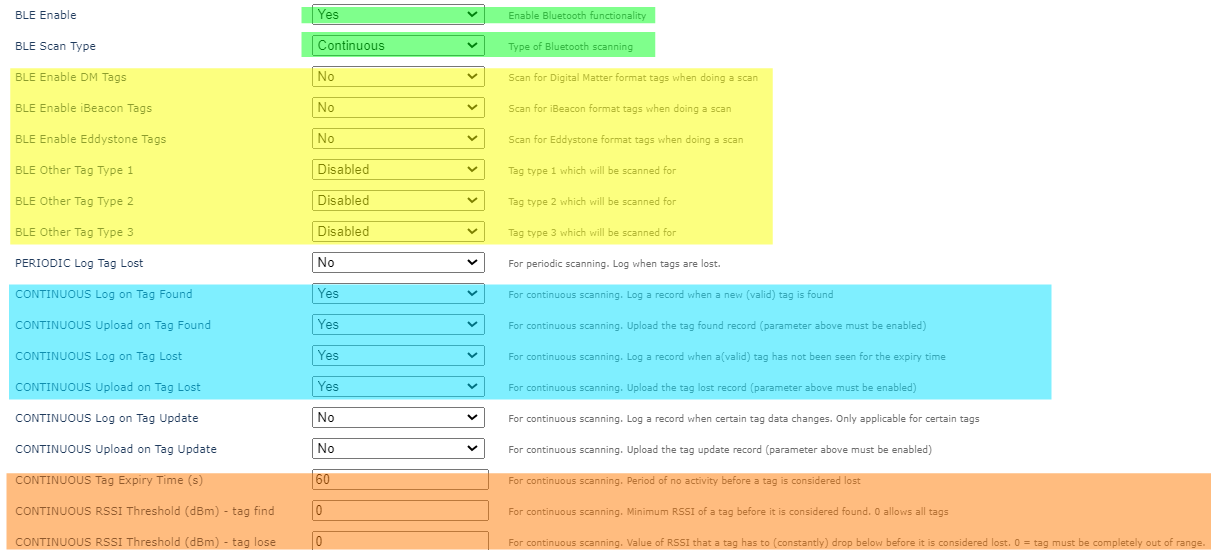
“BLE Enable” - Yes
This enables BLE functionality
“BLE Scan Type” - Continuous
This differentiates between “periodic" scanning and “continuous” scanning. “Periodic” is based on the Task interval, whereas “continuous” scans all the time at the cost of reduced battery life.
"Tag Type"
These parameters are dependent on which specific tag type is being looked for.
Log/Upload on Tag Lost/Found
When it finds or loses a tag, these parameters dictate the device's behaviour.
CONTINUOUS Tag Expiry Time (s)
The amount of time of no activity before the tag is considered lost.
CONTINUOUS RSSI Threshold (dbm) Tag Lost/Found
RSSI which defines tag lost/found.
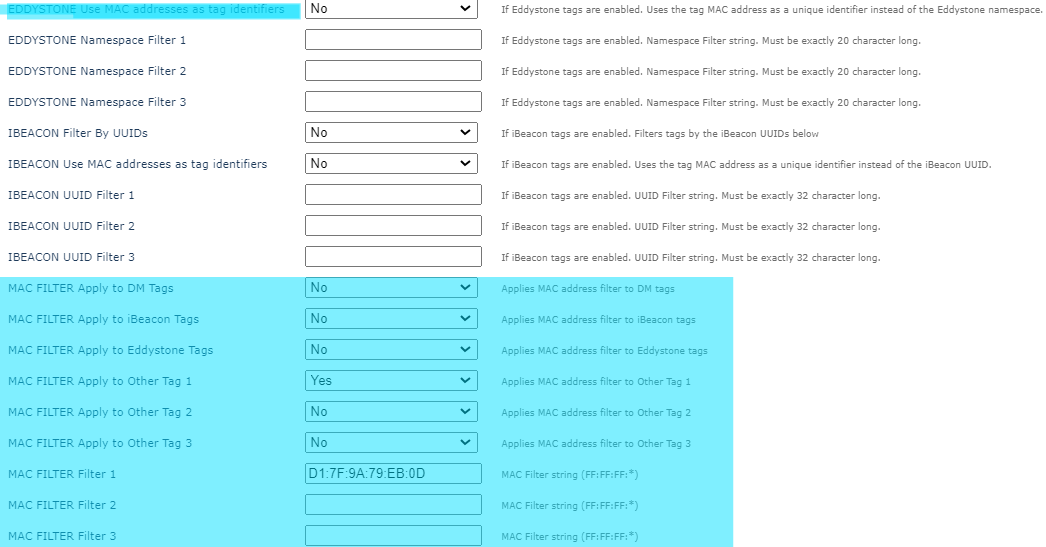
MAC Filter
You can optionally set a MAC address filter so that the device only detects a certain tag.

BLE Num Tags in list to set digital
The above setting sets the number of tags that need to be in the tag list to set a specified DI.
Task 1

For this use case, we must run BLE Action 1 regularly to update the Tag list. This action is what updates the tag list. When the list reaches a certain number of tags (specified in the Bluetooth Card Tab - BLE Num Tags to set digital), Hawk Digital Input 9 (Card DigIn2) is set HIGH.
BLE Action 1

Scan Length and Minimum Tag RSSI
Ignore for Continuous Scanning
Log Taglist
Set “Log Taglist” to “Yes” if you'd like to see the taglist in the logs.
Analog Mappings
Set which analogs you would like to map the tag data to (if required)
Digital Input Monitor 1 (Adv)
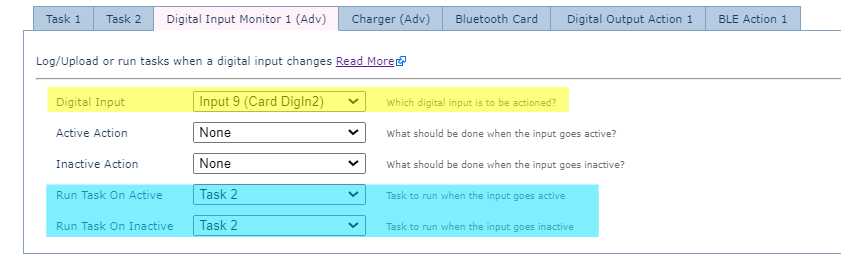
“Digital Input” - Input 9 (Card DigIn2)
Choose Card DigIn2 as the DigIn to monitor.
“Run Task on Active” and “Run Task on Inactive”
Define which Tasks (if any) should be run when the digital input goes active or inactive.
Task 2

Disable the Period Unit. This Task should only be run when the digital input changes.
Action 1 should be defined as the Digital Output Action 1
Digital Output Action 1
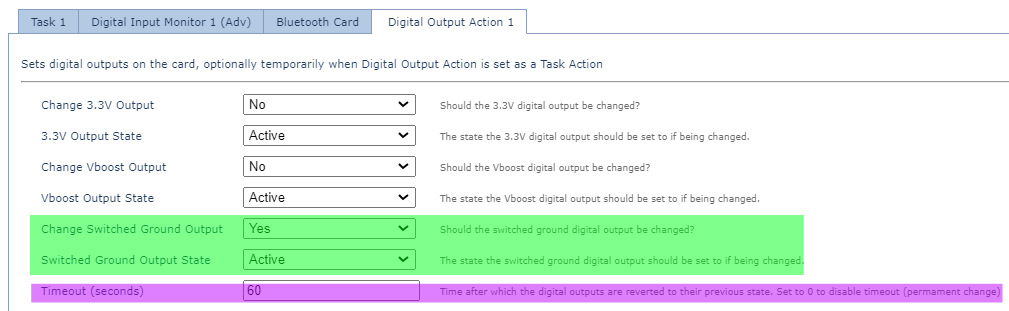
Define what Digital Output Action 1 does - which output should be changed.
Timeout (s) defines how long the output is changed for.
